






 100% free · Windows & Android
Go live,
in one tap.
Radio Encoder Pro mixes your microphone, music deck and jingles into one clean signal and sends it straight to your stream — free, with no account required. Sign in with an Ifastek station and your connection fills in by itself, or point it at any Icecast-compatible server by hand.
Everything a broadcast
studio needs, on one screen.
No settings to copy by hand, no separate mixer app — it's all built in.
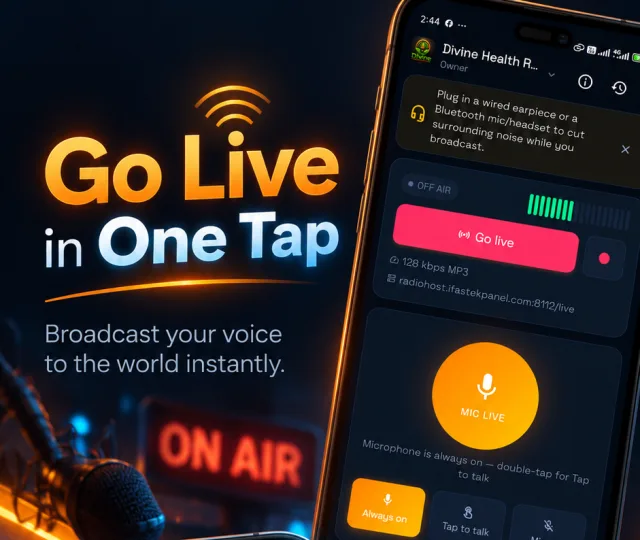
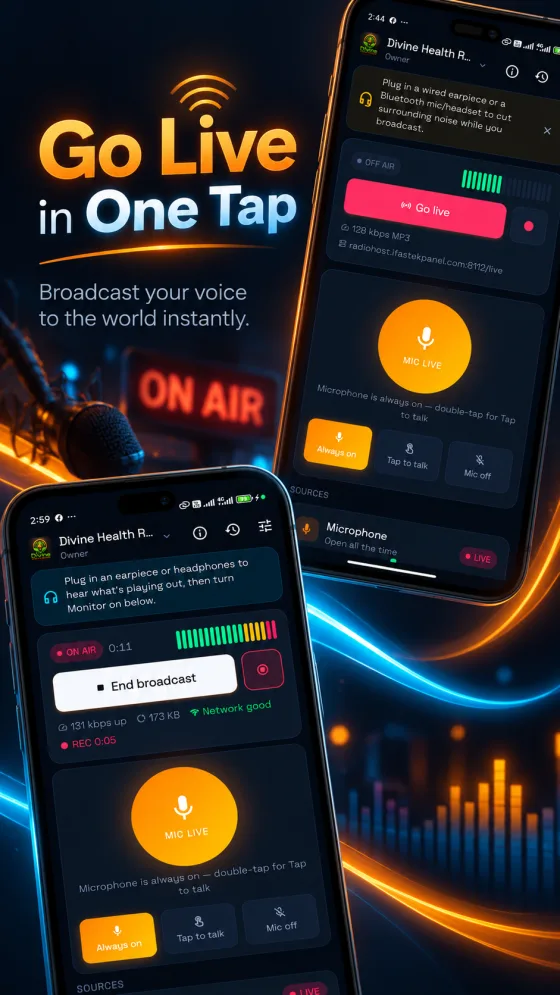
Go live in one tap
Broadcast your voice to the world instantly, from a phone or a PC.
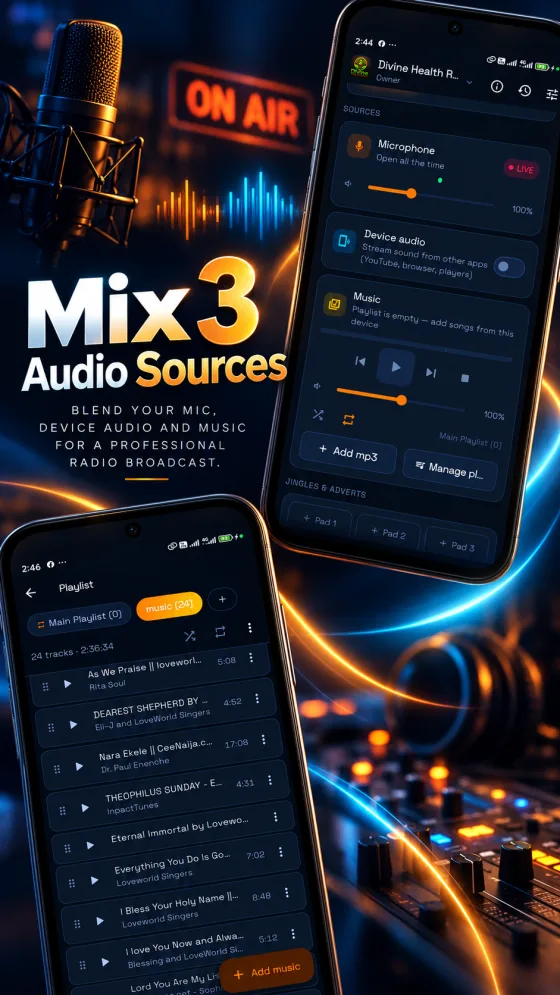
Mix 3 audio sources
Blend your mic, device audio and music for a professional radio broadcast.
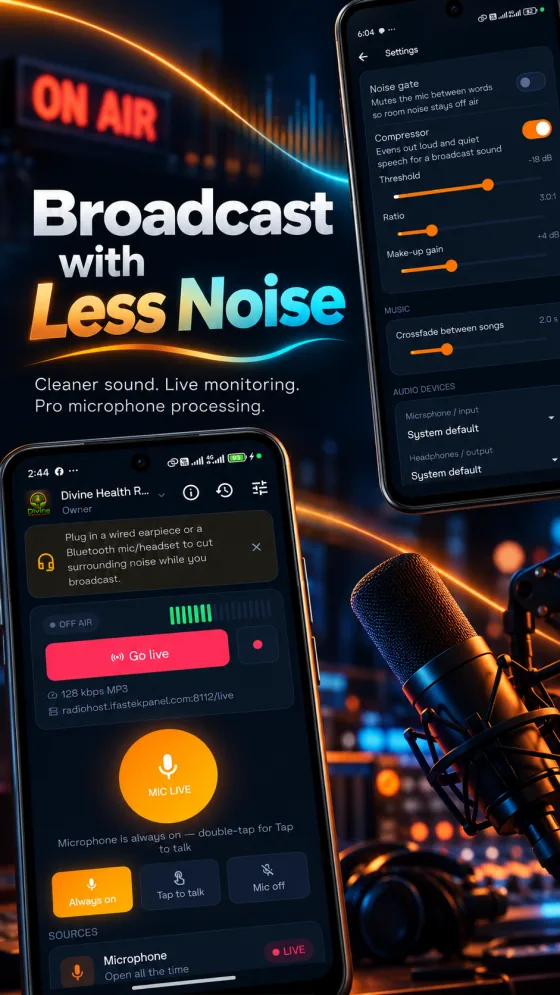
Broadcast with less noise
A noise gate and compressor give your mic a cleaner, broadcast sound.
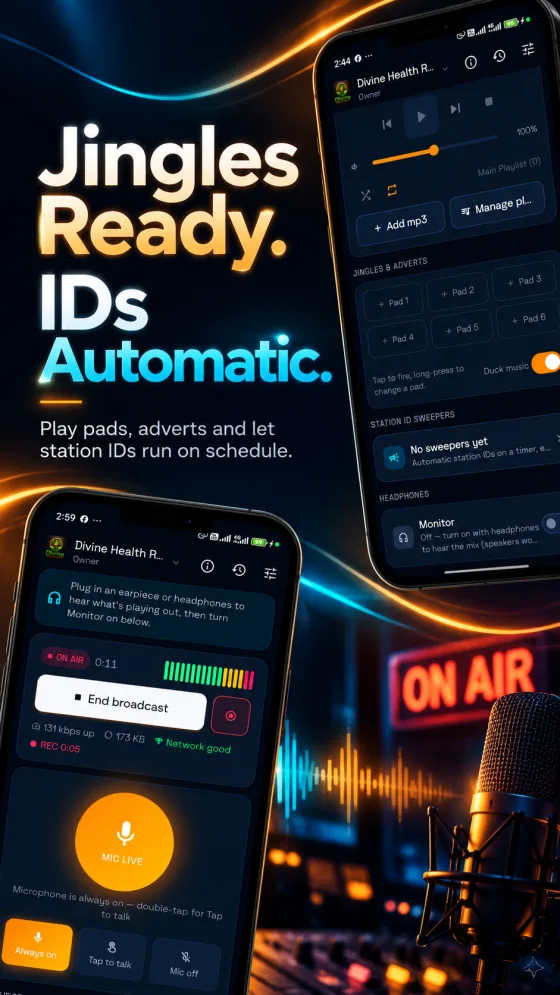
Jingles ready, IDs automatic
Fire pads and adverts, and let station IDs run on a timer.
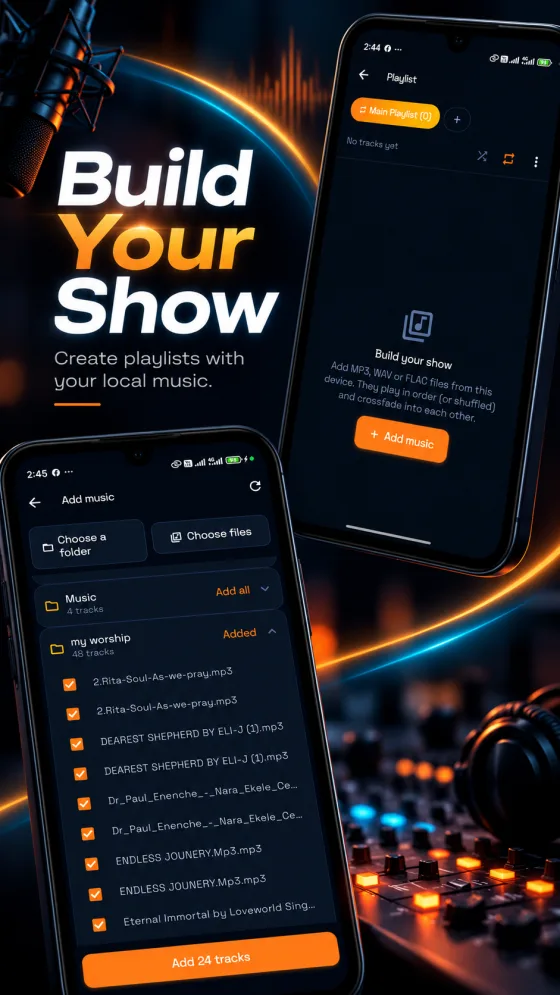
Build your show
Create playlists from the music already on your device, with crossfade.
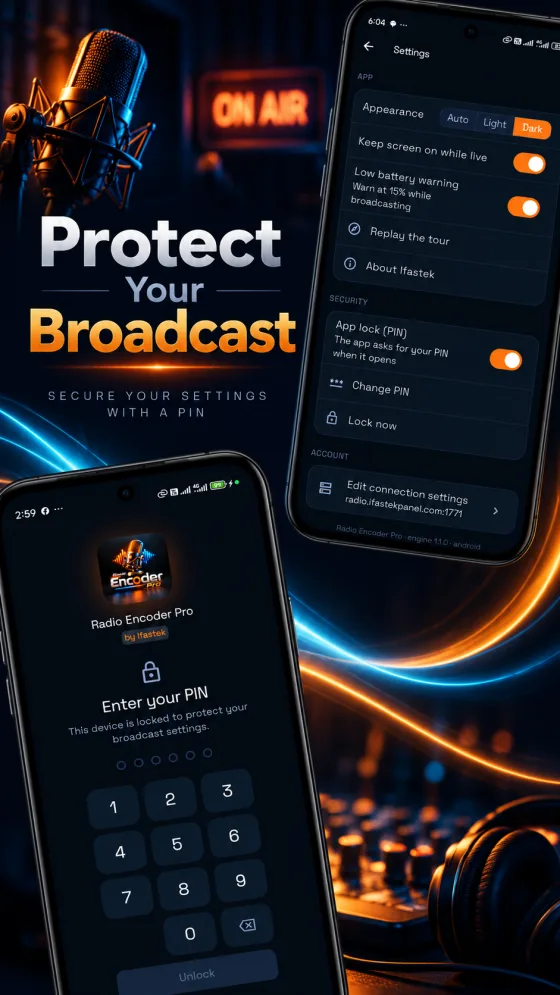
Protect your broadcast
Lock the app with a PIN so your settings and source password stay yours.
Built for the desk,
not just the pocket.
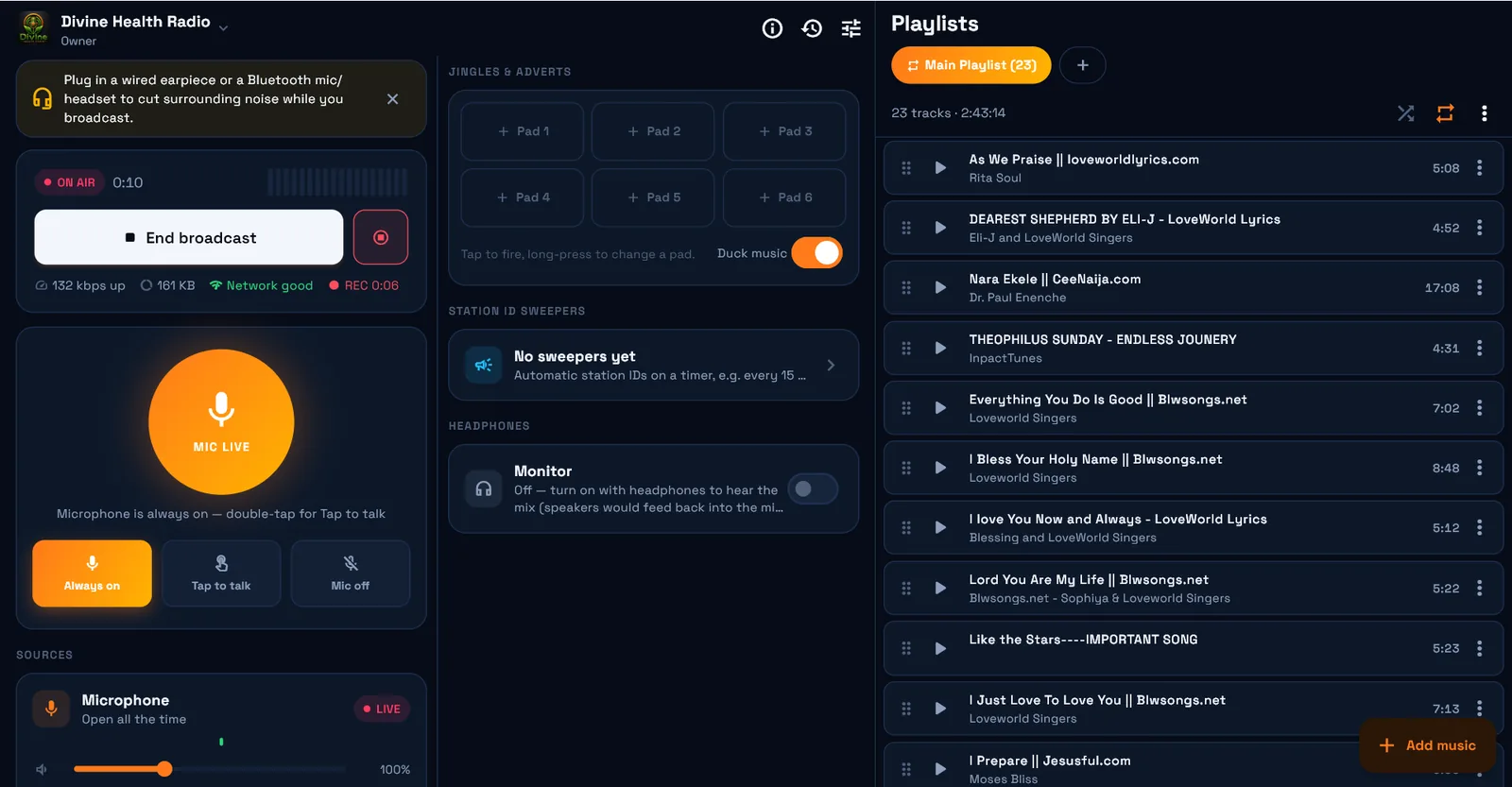
The Windows app spreads your mic, jingle pads, station-ID sweepers and playlists across the full width of the screen — no tabs, no switching, nothing hidden behind a menu.
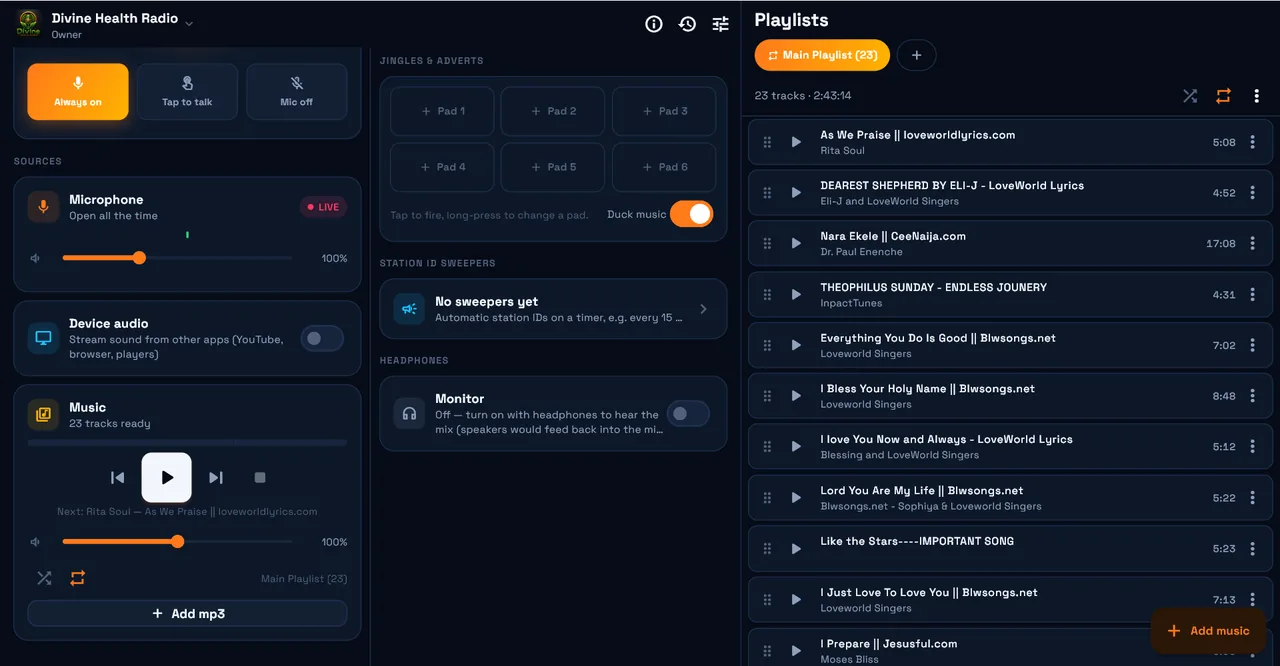
Three sources, one mixer
Microphone, device audio from any app on the PC (YouTube, a browser, a player) and the music deck, each on its own fader.
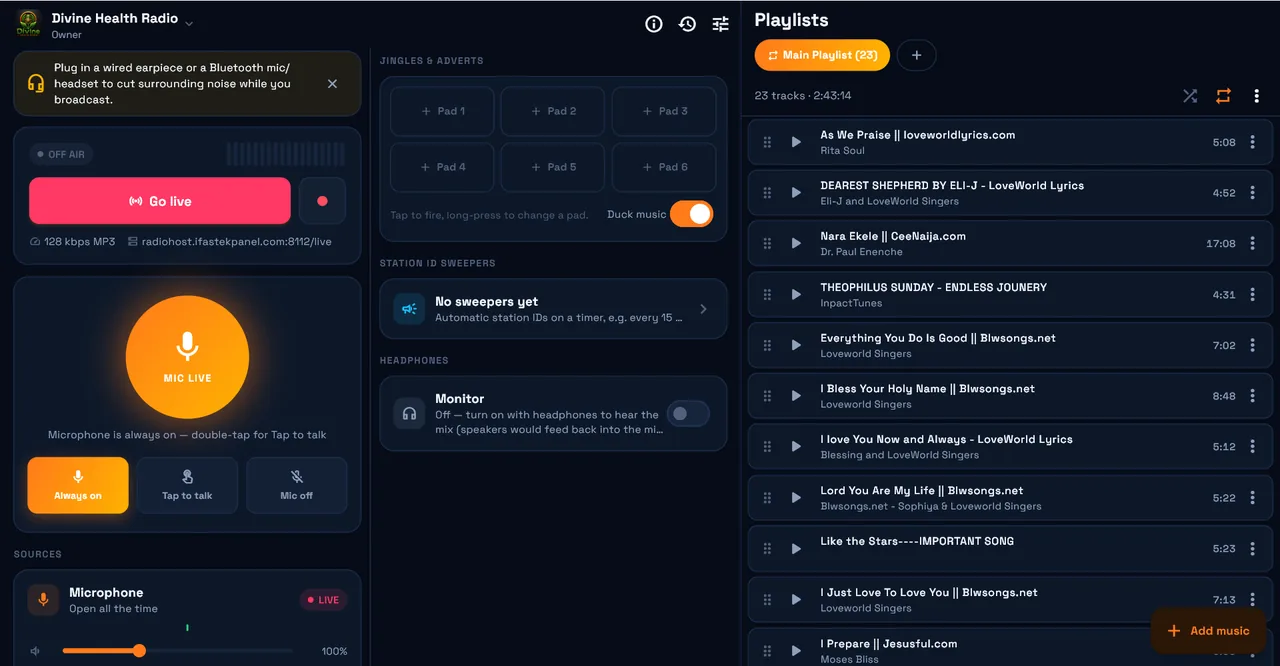
A real playlist deck
Drag to reorder, shuffle or loop, and see the running time of the whole show at a glance — right beside the Go live button.
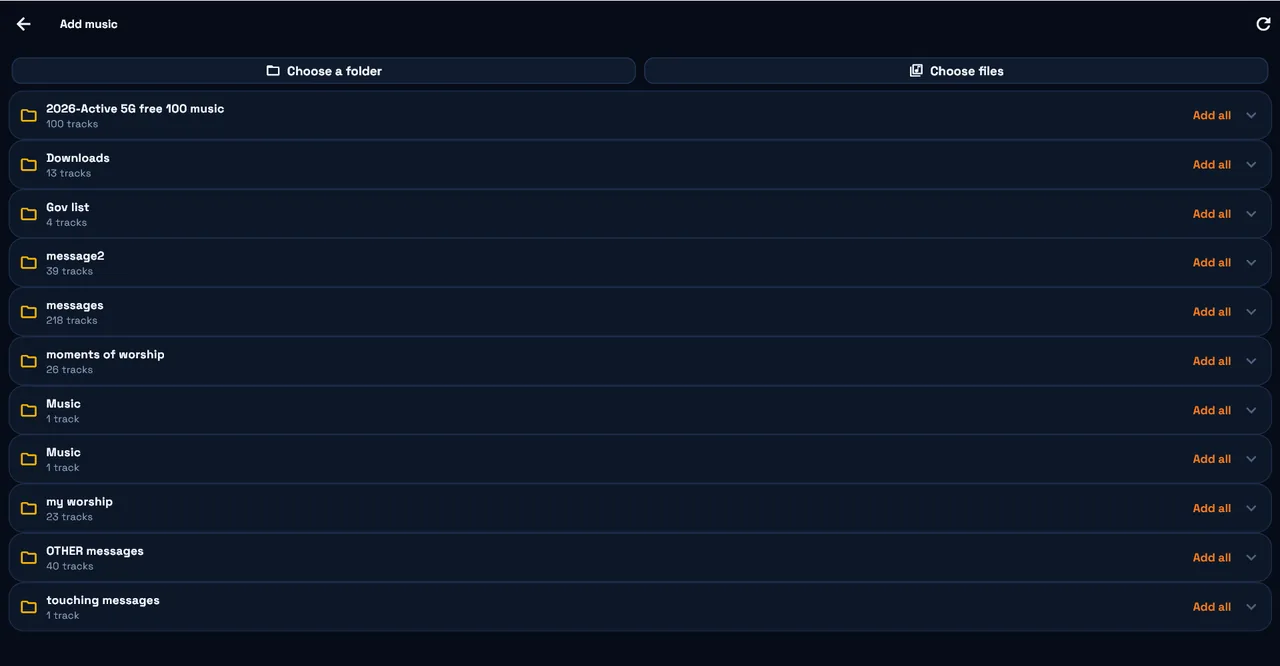
Pull in whole folders
The app finds the music already on your PC. Add a folder with one click, or pick single MP3, WAV or FLAC files.
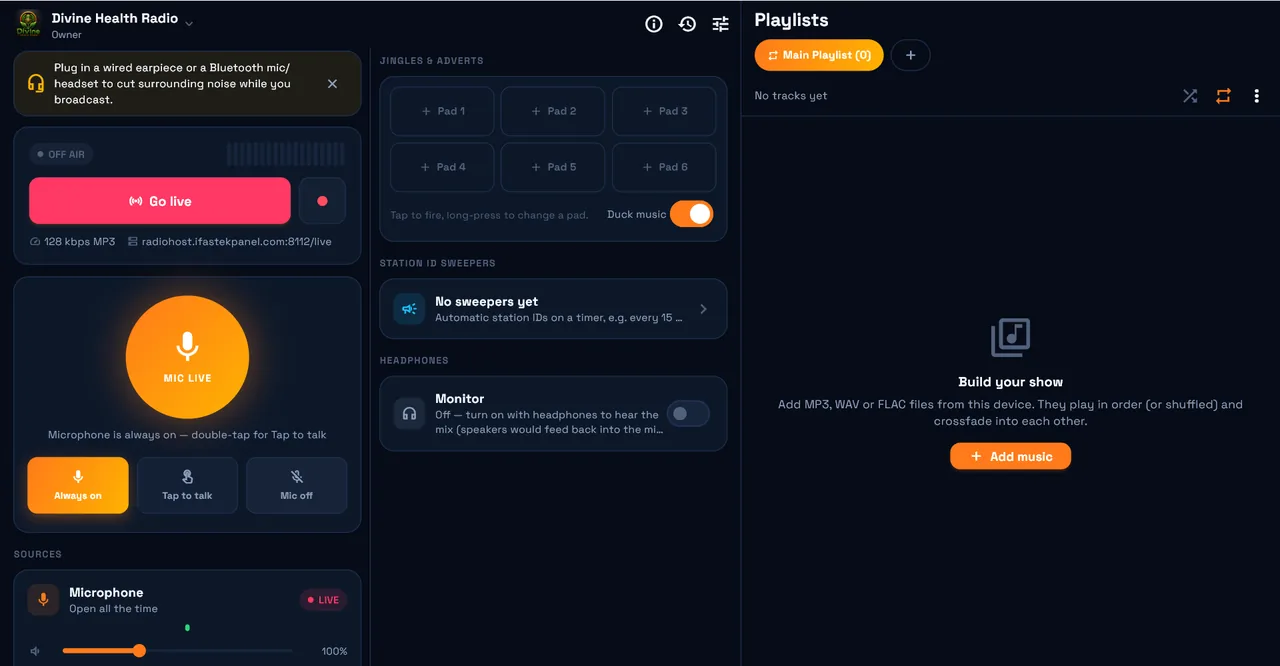
Signed in, ready to go
Sign in with your Ifastek station and the server, port and password are filled in for you. The first thing you press is Go live.
Three steps
to on air.
Install it
Download and install on Windows or Android — no account needed to get started.
Connect your stream
Sign in with your Ifastek station and the harbor address fills in by itself, or choose Anonymous and type in any Icecast-compatible server's details yourself.
Press Go Live
Your mic, music and jingles go out as one signal. End the broadcast the same way, any time.
Ready when you are.
Free, no account required, no trial limit.
Before you
install.
Is Radio Encoder Pro really free?
Yes. The Windows and Android apps are a free download with no trial limit and no watermark. There is nothing to buy to broadcast with it.
Do I need an Ifastek hosting account to use it?
No. Sign in with an Ifastek station and your harbor address, port and password fill in automatically. Or choose Anonymous mode and type in any Icecast-compatible server by hand — the app never has to know about Ifastek at all.
What can I broadcast at the same time?
Your microphone, a music deck with playlists and crossfade, and jingle/sweeper pads, mixed into one signal. A built-in noise gate and compressor clean up the mic before it goes out.
Which platforms are supported?
Windows 10 and 11 (64-bit) and Android 8 and newer today. An iOS build is on the roadmap.
How do I update the Windows app?
It checks for a new build on launch and offers a one-click download when one is available — no need to come back to this page.
Don’t have a station
to broadcast to yet?
Start an internet radio station with Ifastek and this app connects to it automatically.